Urgent Security Alert: New WordPress Flaw Exposes Users to PHP Code Execution
A newly discovered pre-authentication cross-site scripting vulnerability in WordPress poses serious risks, allowing attackers potential PHP code execution. Immediate action is recommended to secure your site.
In the dynamic landscape of web security, vulnerabilities can emerge at any moment, putting countless websites at risk. Recently, a pre-authentication cross-site scripting (XSS) vulnerability was discovered in WordPress, one of the world's most widely used content management systems (CMS). This vulnerability has raised alarm bells among security experts, as it opens a pathway for attackers to execute arbitrary PHP code, potentially compromising entire sites. For website owners and developers relying on WordPress, immediate action is crucial to mitigate risks.
This article will delve into the specifics of the newly identified vulnerability, its implications for WordPress users, and the necessary steps to protect your website from potential exploitation.
Understanding the Vulnerability
The pre-auth XSS vulnerability allows attackers to exploit weaknesses in any WordPress site that has not been updated to the latest security standards. Essentially, this flaw can be leveraged by an attacker to inject malicious scripts into web pages that are viewed by unsuspecting users. Once these scripts are executed, the attacker can gain unauthorized access to sensitive data or manipulate site configurations, leading to severe breaches.
How the Attack Works
In simple terms, the attack begins when a user visits a vulnerable WordPress site. If the site has not been patched, the malicious code can be executed without the need for user authentication. This means that even visitors to the site can be targets of the attack. The implications are dire; once the code runs, attackers could potentially take control of the server and execute PHP code, effectively allowing them to manipulate the website's backend.
Who is Affected?
The vulnerability impacts all WordPress installations that are not updated to the latest version, which underscores a critical issue in the website management community: many users neglect timely updates due to various reasons, such as lack of awareness or perceived inconvenience. As a result, thousands of WordPress sites could be exposed to significant risks, affecting not only the site owners but also their visitors.
Why Timely Updates Matter
Updates are essential in the world of cybersecurity, as they often include not only new features but also crucial security patches. When a vulnerability is discovered, developers typically release updates to fix these issues. Failing to apply these updates can result in serious consequences, including:
- Data loss or theft
- Reputational damage
- Financial repercussions from remediation efforts
- Legal liability in case of user data breaches
The Importance of Security Practices
Beyond simply updating WordPress, it's vital for site owners to adopt comprehensive security practices to safeguard their websites. This includes implementing a robust security plugin, conducting regular security audits, and educating users about potential threats. Here are some recommended practices:
- Use security plugins that offer firewall protection and malware scanning.
- Regularly back up your website to ensure you can restore it in case of an attack.
- Limit user access and permissions based on roles.
- Enable two-factor authentication for added security.
How to Patch Your WordPress Site
Patching your WordPress site is a straightforward process, but it must be done as soon as possible to mitigate the risks associated with this vulnerability. Here’s how to do it:
Step-by-Step Guide to Updating WordPress
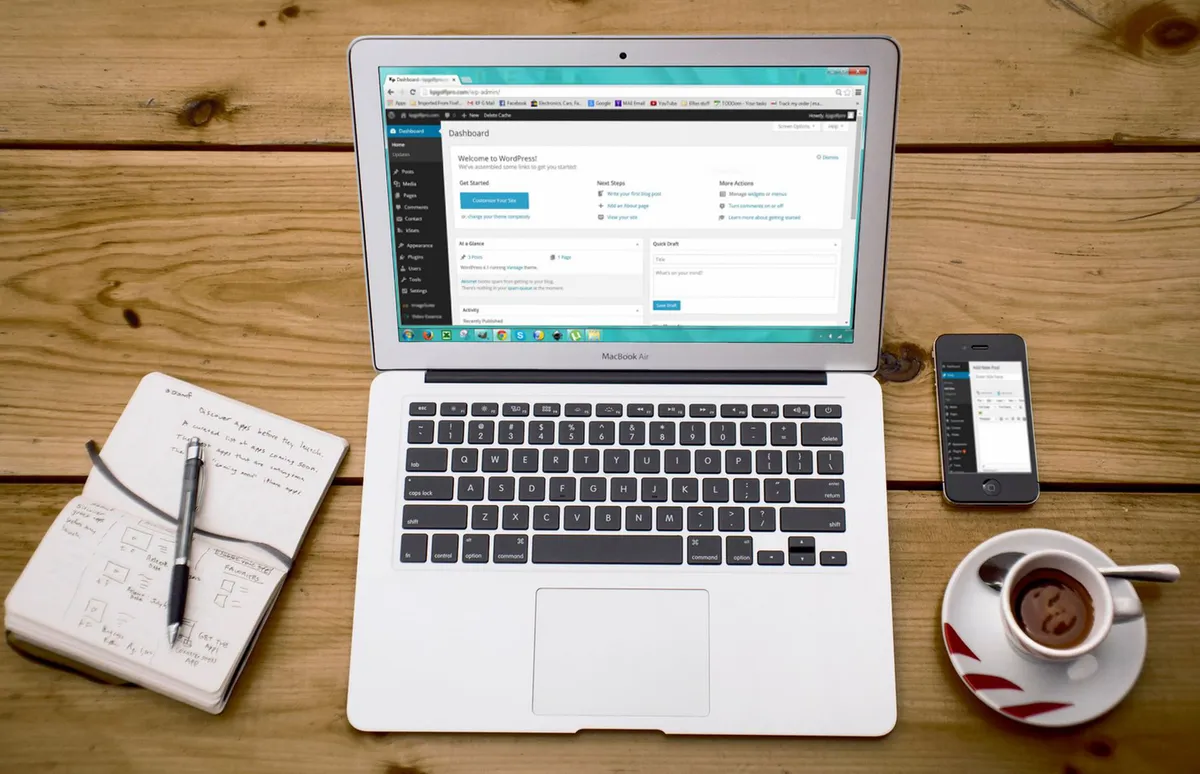
- Log in to your WordPress dashboard.
- Navigate to Dashboard > Updates.
- If an update is available, you’ll see a prompt. Click Update Now.
- After the update is complete, check your site for any issues.
It’s also advisable to check your plugins and themes for updates, as they can also introduce vulnerabilities if not regularly maintained.
Real-World Implications of Ignoring Vulnerabilities
The repercussions of neglecting security vulnerabilities can be severe and far-reaching. For instance, in recent months, several high-profile cases have demonstrated how identity exposure and unpatched vulnerabilities can unlock active attack paths, leading to significant breaches. Organizations that failed to address these vulnerabilities found themselves facing not only financial losses but also reputational damage that could take years to recover from.
Learning from Past Breaches
To understand the importance of addressing vulnerabilities like the one affecting WordPress, consider the case of a major e-commerce platform that suffered a data breach due to outdated software. The breach not only exposed customer data but also resulted in a significant financial hit due to regulatory fines and loss of consumer trust. Lessons learned from such incidents emphasize the need for proactive security measures.
Key Takeaways
- The newly discovered pre-auth XSS vulnerability in WordPress poses a significant risk of PHP code execution.
- All WordPress users should prioritize updating their installations to the latest version.
- Implementing strong security practices is essential for protecting websites from potential attacks.
- Ignoring vulnerabilities can lead to severe financial and reputational consequences.
Frequently Asked Questions
What should I do if I cannot update my WordPress site immediately?
If you are unable to update your WordPress site immediately, consider implementing temporary security measures such as disabling user registrations, limiting login attempts, and using a security plugin that provides firewall protection. These measures can help mitigate risks until you can perform the necessary updates.
How can I ensure that my website remains secure moving forward?
To maintain ongoing security, develop a schedule for regular updates and audits of your website. This includes not only WordPress core updates but also plugin and theme updates. Consider following security blogs and subscribing to alerts from WordPress to stay informed about potential vulnerabilities.
What are the common signs that my website has been compromised?
Signs of a compromised website can include unexpected changes to your site content, unusual user activity, slow site performance, and redirection to unfamiliar pages. If you notice any of these symptoms, it is crucial to take immediate action to investigate and remediate the issue.
Comments
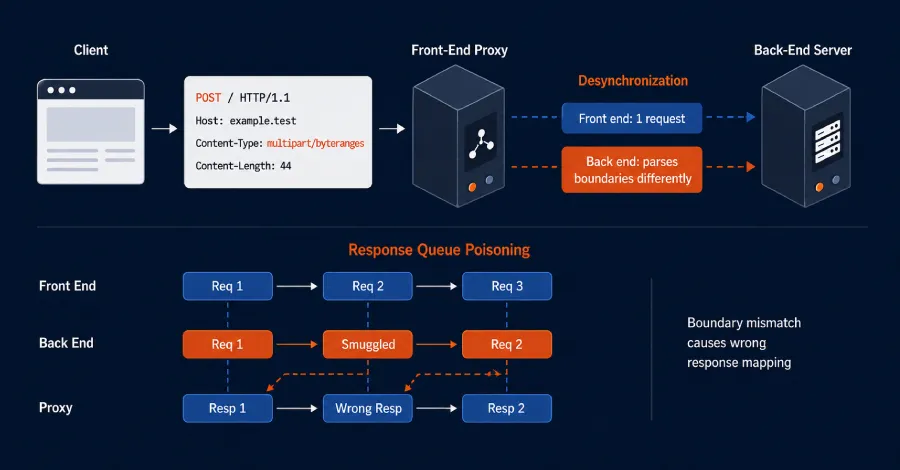
Exploring HTTP Desync Techniques and the Apache Zero-Day Threat
Recent developments in web security have unveiled alarming HTTP desynchronization techniques and a critical Apache vulnerability. This article delves into these issues and their implications for businesses.
Related articles




Popular in Cybersecurity
- Federal Mandate for Autonomous Vehicles: A Call for Safety Compliance
- EU Mandates Google to Share Data and Open AI on Android: What It Means
- GitHub Revamps Bug Bounty Program: Implications for Developers and Security
- Australian Government Disables Thousands of Functional Broadband Routers: A Wasteful Decision
- Exploiting Redis: Understanding Zero-Day Vulnerabilities and Their Mitigation