Security Alert: 737 Chrome VPN Extensions Compromised User Privacy
A recent discovery has revealed that 737 VPN extensions for Chrome are routing user traffic through questionable proxies, raising serious security concerns. Users should check their installed extensions immediately.

In an alarming turn of events, a report has surfaced revealing that 737 Chrome VPN extensions have been routing user traffic through untrustworthy proxies. This discovery not only highlights the vulnerabilities inherent in many VPN services but also serves as a wake-up call for users who may be unknowingly compromising their online privacy. As VPNs are commonly utilized to mask user identities and secure internet connections, the breach of trust in these extensions can lead to significant risks.
The implications of this security flaw are broad and severe, affecting users who rely on these tools for both personal and professional online activities. With the increasing sophistication of cyber threats, it’s crucial for consumers to remain vigilant and proactive about their digital safety.
Understanding the Scope of the Breach
The discovered misrouting of traffic through questionable proxies raises serious questions about the integrity and security of these VPN extensions. VPNs are designed to provide users with anonymity while surfing the web by encrypting their connection and hiding their IP addresses. However, when a VPN extension routes traffic through an unverified proxy, it effectively defeats the purpose of using a VPN in the first place.
The Risks of Proxy Routing
Proxy routing can expose users to various risks, including:
- Data Interception: Malicious actors can intercept user data as it passes through untrusted proxies.
- Identity Theft: Personal information can be compromised, leading to potential identity theft.
- Malware Injections: Unscrupulous proxies may inject malware into the traffic, infecting users' devices.
- Geolocation Spoofing: Users may unintentionally reveal their real locations, undermining their anonymity.

Identifying Vulnerable Extensions
Users of Google Chrome should take immediate action to identify whether they have any of the 737 affected VPN extensions installed. These extensions are often marketed as tools for enhancing online privacy, yet they may be doing the opposite. Some common indicators that an extension might be compromised include:
Signs of Compromise
- Unusual Network Activity: If you notice unexpected spikes in network traffic, it could signal that your extension is routing data improperly.
- Slow Connection Speeds: A decline in internet speed can suggest that your data is being misrouted through multiple proxies.
- Unfamiliar IP Addresses: Check your outgoing IP address; if it doesn’t match the VPN’s advertised location, your data may be compromised.

Taking Action: Steps for Users
For users who suspect they may have one of the compromised VPN extensions, immediate action is vital. First, you should remove any extensions that are not from well-known providers or that you do not recognize. Here’s a step-by-step guide on how to check and remove potentially harmful extensions:
How to Check Your Extensions
- Open Google Chrome and click on the three-dot menu in the upper right corner.
- Select “More Tools” and then “Extensions.”
- Review the list of installed extensions and look for any VPNs that may be on the compromised list.
- Click “Remove” on any suspicious extensions.

Legal and Market Implications
The fallout from this breach extends beyond individual users; it poses significant legal and market challenges. VPN providers could face lawsuits for failing to protect user data adequately. Furthermore, the incident could erode consumer trust in VPN services, leading to a broader market shift toward more transparent and reputable providers.
What This Means for the Industry
As the demand for VPN services continues to rise, the industry must prioritize user security to maintain credibility. Providers will need to enhance their vetting processes for extensions and establish clearer security protocols to safeguard user data. The repercussions of this incident could lead to increased regulatory scrutiny and the emergence of stricter regulations governing data privacy in digital services.
Key Takeaways
- 737 Chrome VPN extensions are caught routing user traffic through untrustworthy proxies.
- Users should immediately check for and remove any compromised VPN extensions.
- The breach raises significant legal and market implications for VPN providers.
- Prioritizing transparency and security is essential for VPN industry credibility.
Frequently Asked Questions
How can I tell if my VPN extension is compromised?
To determine if your VPN extension is compromised, look for signs like unusual network activity, declines in speed, or unfamiliar IP addresses. If you notice any of these indicators, it is advisable to remove the extension and consider switching to a more reputable VPN provider.
What should I do if I have one of the affected extensions?
If you find that you have one of the affected VPN extensions installed, you should remove it immediately. Follow the steps outlined above to check your extensions and uninstall any that are suspicious. Additionally, consider informing others who may also be using compromised extensions.
Are all VPNs safe to use?
No, not all VPNs are safe. It's crucial to choose a VPN provider that is reputable and transparent about its data handling practices. Look for services that have undergone independent security audits and have clear privacy policies to ensure your data remains protected.
Comments
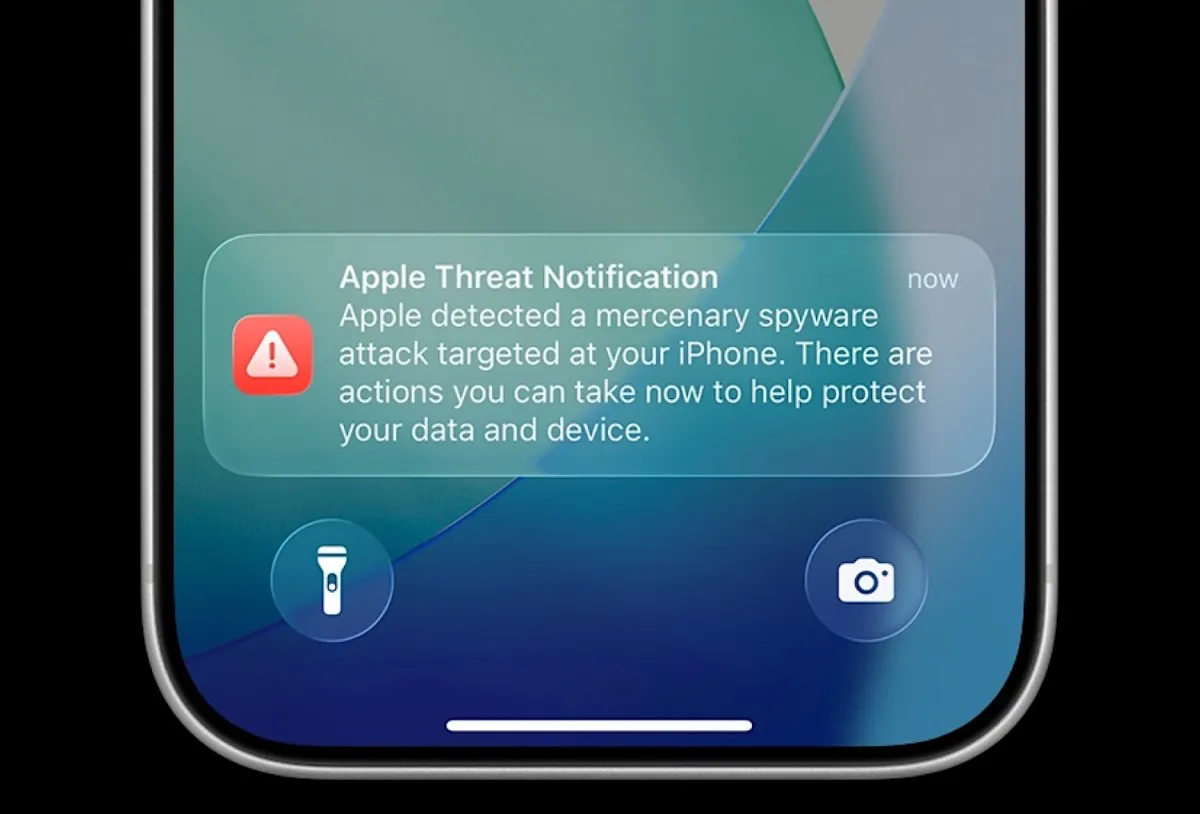
Apple’s New Push Notifications: A Crucial Warning Against Spyware Attacks
Apple is alerting users globally about potential spyware attacks on their devices. This new initiative underscores the urgent need for cybersecurity awareness and proactive measures among users.
Related articles



Popular in Cybersecurity
- Federal Mandate for Autonomous Vehicles: A Call for Safety Compliance
- EU Mandates Google to Share Data and Open AI on Android: What It Means
- GitHub Revamps Bug Bounty Program: Implications for Developers and Security
- Australian Government Disables Thousands of Functional Broadband Routers: A Wasteful Decision
- Exploiting Redis: Understanding Zero-Day Vulnerabilities and Their Mitigation