USB Auto-Install Vulnerability: A Deep Dive into Windows 11 Security Risks
Recent research has unveiled a critical vulnerability in Windows 11's USB auto-install feature, allowing for full system takeovers. This article explores the implications, affected users, and essential security measures.
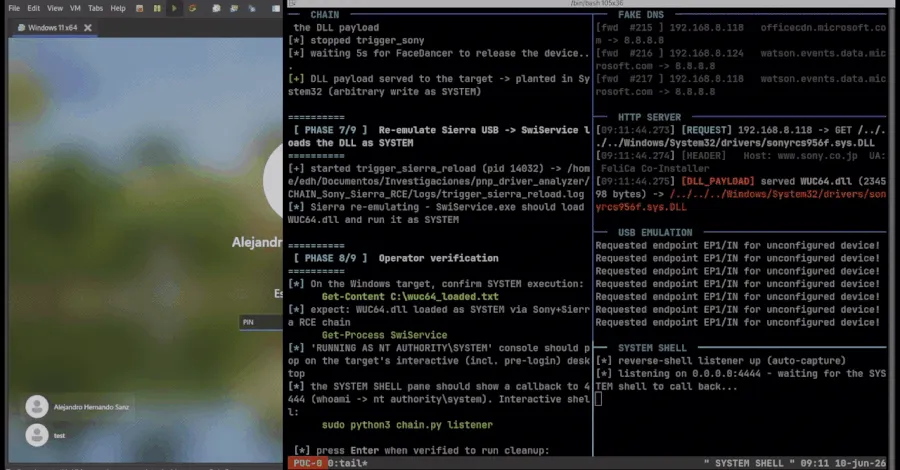
The digital landscape is fraught with vulnerabilities that can jeopardize the security of millions of users. A recent study has brought to light a particularly alarming flaw in Windows 11's USB auto-install feature, which researchers have demonstrated can be exploited to achieve complete system takeover. This discovery raises critical questions about the security measures in place for one of the most widely used operating systems today. As businesses and individuals increasingly rely on technology for everyday tasks, understanding such vulnerabilities is paramount.
This article delves into the mechanics of this vulnerability, the potential impact on users and organizations, and what can be done to mitigate these risks. In a world where cyber threats are becoming more sophisticated, staying informed is crucial for protecting sensitive information.
Understanding USB Auto-Install Vulnerabilities
USB auto-install functionality is designed to streamline the process of installing drivers and applications from removable media. While this feature enhances user experience by reducing setup time, it also opens the door to significant security risks. According to researchers, attackers can exploit this feature by embedding malicious payloads within USB devices. Once a user connects the infected USB drive to their Windows 11 system, the auto-install feature automatically executes the malicious code.
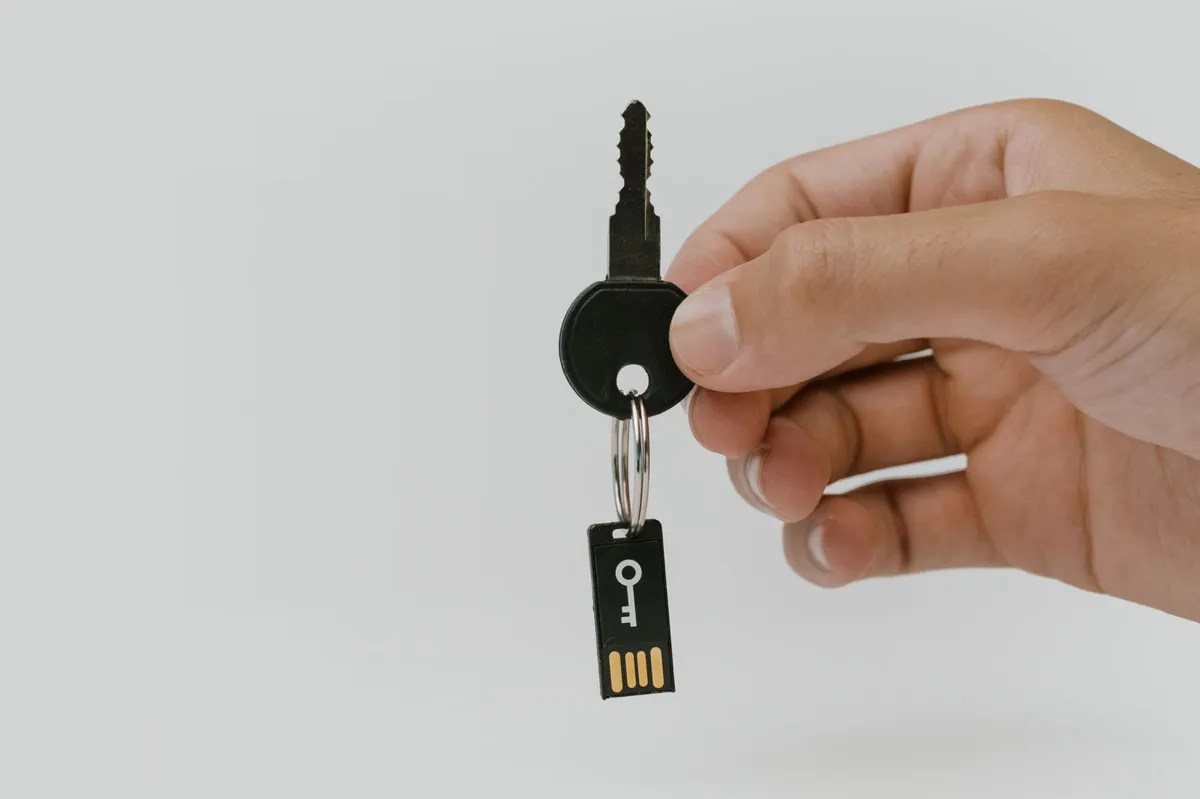
In practical terms, this means that an attacker could create a seemingly innocuous USB stick, perhaps labeled as a software update or a utility tool. When plugged into a computer, it could silently install malware, granting the attacker extensive control over the system.
The Mechanics of a System Takeover
The vulnerability identified by researchers hinges on how Windows 11 handles device drivers and application installations via USB. Upon detection of a USB device, Windows initiates a series of processes that can lead to the installation of a driver or application without requiring explicit user consent. This trust-based mechanism, while convenient, can be manipulated.
Privilege Escalation and Breach Routes
Once the malicious payload is executed, it can escalate privileges within the system, allowing attackers to gain administrative access. This escalation enables them to disable security features, install additional malware, or exfiltrate sensitive data. The implications are severe, particularly for organizations that handle sensitive information. A single compromised system could serve as a gateway for larger breaches across networks, leading to extensive data exposure.
Who Is Affected by This Vulnerability?
Nearly all users of Windows 11 are potentially at risk, including individual consumers, small businesses, and large enterprises. The simplicity of the exploit means that even those with limited technical expertise can unwittingly become victims. For organizations, the stakes are even higher. A compromised device can lead to significant financial loss, reputational damage, and legal repercussions, especially if sensitive customer data is involved.
Real-World Examples of Exploitation
The research highlights several real-world scenarios where identity exposure has led to active attack paths. For instance, attackers have used USB devices to deploy ransomware, causing widespread disruption in various sectors, including healthcare and finance. These incidents underscore the need for robust security protocols when dealing with removable media.

Mitigating the Risks
Given the gravity of the situation, both individuals and organizations must take proactive steps to safeguard against potential USB auto-install exploits. Here are some essential measures:
- Disable USB Auto-Install: Users can manually disable the auto-install feature in their system settings to prevent unauthorized installations.
- Implement Endpoint Security Solutions: Organizations should deploy comprehensive endpoint security solutions that can detect and block malicious USB devices.
- Educate Users: Training employees on the risks associated with USB drives and promoting safe practices can significantly reduce the likelihood of a successful attack.
- Regularly Update Software: Keeping operating systems and security software up to date can help protect against known vulnerabilities.
By implementing these strategies, users can significantly enhance their defenses against potential threats posed by USB devices.

Key Takeaways
- The USB auto-install feature in Windows 11 poses significant security risks.
- Attackers can exploit this vulnerability to achieve full system takeovers.
- Both individual and organizational users are at risk of data breaches.
- Proactive security measures can help mitigate these vulnerabilities.
- Ongoing education and awareness are crucial for maintaining cybersecurity hygiene.
Frequently Asked Questions
What exactly is the USB auto-install vulnerability?
The USB auto-install vulnerability refers to a security flaw in Windows 11 that allows attackers to execute malicious code when a USB device is connected. This can lead to unauthorized installations and full control over the system.
How can I protect my computer from USB-based attacks?
To protect against USB-based attacks, users should disable the auto-install feature in system settings, implement endpoint security solutions, and educate themselves and their colleagues about the risks associated with removable media.
Are all versions of Windows vulnerable to this exploit?
While the research specifically targets Windows 11, similar vulnerabilities may exist in earlier versions of Windows. Users of all operating systems should remain vigilant and apply security best practices to minimize risks.
What should I do if I suspect my system has been compromised?
If you suspect that your system has been compromised, immediately disconnect it from the network, run a thorough security scan using updated antivirus software, and consider consulting a cybersecurity professional for further analysis and remediation.
Comments
How Supply Chain Attacks Compromise WordPress Security: A Case Study
A recent supply chain attack targeting BdThemes highlights the vulnerabilities within WordPress plugins. This article explores the impact, implications, and preventive measures for businesses.

Related articles






Popular in Cybersecurity
- Federal Mandate for Autonomous Vehicles: A Call for Safety Compliance
- EU Mandates Google to Share Data and Open AI on Android: What It Means
- GitHub Revamps Bug Bounty Program: Implications for Developers and Security
- Australian Government Disables Thousands of Functional Broadband Routers: A Wasteful Decision
- Exploiting Redis: Understanding Zero-Day Vulnerabilities and Their Mitigation