Google Password Manager Vulnerabilities: A Deep Dive into Security Risks
Recent vulnerabilities in Google's Password Manager raise significant concerns about account security and the potential for malware attacks. This article explores the implications of these weaknesses and provides guidance on safeguarding your accounts.
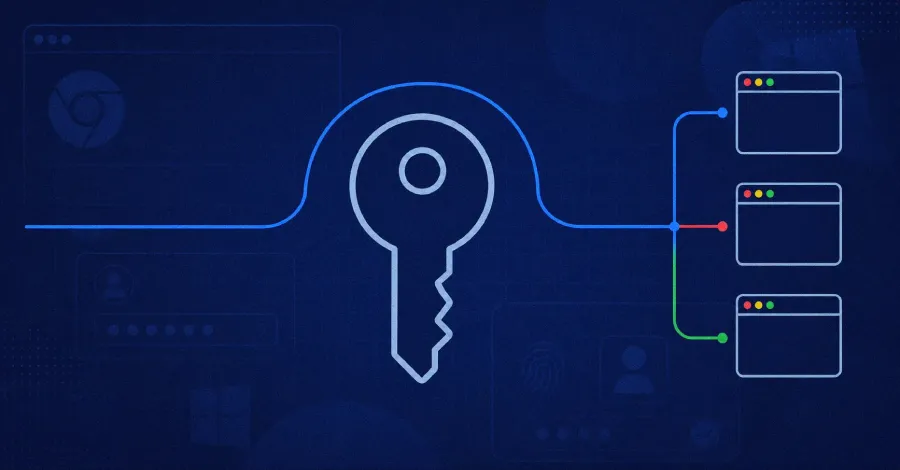
In today’s digital landscape, where a significant portion of our lives is lived online, the security of our credentials is paramount. Recent findings have shed light on vulnerabilities within Google’s Password Manager, a tool used by millions to store and manage passwords securely. These vulnerabilities expose a serious risk: the potential for malware to hijack accounts that are protected by passkeys, a feature designed to enhance security. This poses a critical question for users: How can we ensure the integrity of our online identities when the tools meant to protect them are themselves vulnerable?
Google Password Manager aims to simplify the often tedious task of managing multiple passwords, enabling users to store credentials securely and auto-fill them when needed. However, with the advent of sophisticated cyber threats, the implications of these vulnerabilities highlight the need for enhanced vigilance and proactive security measures. This article will delve into the ramifications of these weaknesses, explore how attackers could exploit them, and provide practical strategies for safeguarding your online accounts.
Understanding the Vulnerabilities in Google Password Manager
Google’s Password Manager has long been regarded as a reliable tool for password storage, yet recent revelations expose its underlying vulnerabilities. These weaknesses could allow attackers to execute cross-domain privilege escalation attacks, where they exploit flaws to gain unauthorized access to user accounts.
One of the primary concerns is how these vulnerabilities could facilitate malware attacks. For instance, if a user unknowingly downloads malicious software, the malware could potentially gain access to the user's stored passkeys. Once an attacker has access to these credentials, they can hijack accounts protected by passkeys, which were thought to be a secure method of authentication.
The Mechanics of the Attack
To understand how these attacks could unfold, consider the following scenario:
- A user installs a seemingly harmless app that is, in fact, malware.
- The malware accesses the user’s stored passwords and passkeys within the Password Manager.
- Using the acquired credentials, the attacker can gain access to various accounts, bypassing traditional security measures.
This method demonstrates a significant security risk, especially as more platforms adopt passkey-based authentication as a means to enhance security. The ease with which malware can potentially exploit these vulnerabilities makes it imperative for users to remain vigilant.

Why This Matters: The Broader Impact of Credential Vulnerabilities
The implications of these vulnerabilities extend beyond individual accounts. When a popular service like Google’s Password Manager is compromised, it can have cascading effects across the digital landscape. As organizations increasingly rely on cloud infrastructure and password management solutions, a breach can lead to widespread identity theft and financial loss.
For businesses, the impact is even more profound. Organizations often store sensitive information, including customer data, proprietary information, and financial records. An attacker gaining access to an administrator's account could lead to catastrophic breaches, affecting not only the business but also its customers and partners.
Real-World Consequences
There have been numerous cases in recent years where vulnerabilities in password management systems have led to significant breaches. For example, a major financial institution experienced a data breach after attackers exploited weaknesses in their password storage system, leading to the theft of millions of dollars and sensitive customer information. Such incidents underline the critical need for stringent security measures.

Protecting Yourself: Best Practices for Secure Password Management
In light of these vulnerabilities, it’s essential for users to adopt best practices for password management. Here are some strategies to enhance your security:
- Enable Two-Factor Authentication (2FA): Always enable 2FA on your accounts when possible. This adds an extra layer of security, making it more difficult for attackers to access your accounts, even if they have your password.
- Regularly Update Passwords: Change your passwords regularly and avoid reusing passwords across multiple sites. This limits the damage if one of your accounts is compromised.
- Monitor Account Activity: Keep an eye on your account activity. If you notice any unauthorized access, take immediate action to secure your accounts.
- Be Cautious with Apps: Only download apps from trusted sources, and be wary of any software that requests access to your password manager.
- Use a Multi-Factor Password Manager: Consider using a password manager that offers multi-factor authentication and robust encryption features.
By following these practices, you can significantly reduce the risk of your accounts being compromised.

Key Takeaways
- Recent vulnerabilities in Google Password Manager expose users to malware attacks.
- Cross-domain privilege escalation can allow attackers to hijack passkey-protected accounts.
- Implementing best practices for password management can enhance security.
- Organizations must remain vigilant and proactive in securing sensitive data.
- Real-world breaches illustrate the importance of robust security measures.
Frequently Asked Questions
What types of attacks can exploit Google Password Manager vulnerabilities?
Attackers can leverage malware to exploit vulnerabilities in Google Password Manager, allowing them to access stored passwords and passkeys. This can lead to unauthorized access to user accounts, especially if passkeys are used as the primary authentication method. The risk is heightened when users download malicious applications that can manipulate the password manager.
How can businesses protect themselves from these vulnerabilities?
Businesses can adopt a multi-faceted approach to cybersecurity that includes regular security audits, employee training, and implementing strict access controls. By ensuring that only authorized personnel can access sensitive data, organizations can mitigate the risks associated with credential vulnerabilities. Additionally, adopting advanced security solutions such as endpoint detection and response (EDR) can help identify and neutralize threats before they escalate.
Are there alternatives to Google Password Manager?
Yes, there are several alternatives to Google Password Manager, including LastPass, 1Password, and Bitwarden. Each of these options offers unique features, such as advanced encryption, cross-platform support, and multi-factor authentication. Users should evaluate their needs and consider the security features provided by these alternatives to choose the best option for their security requirements.
What should I do if I believe my account has been compromised?
If you suspect that your account has been compromised, immediately change your password and enable two-factor authentication if it isn’t already active. Additionally, review your account activity for any unauthorized transactions or changes. It is also advisable to alert your service provider and, if necessary, report the incident to the appropriate authorities. Taking swift action can help mitigate the impact of a security breach.
Comments
The Hidden Dangers of Location Data Sharing in Android Apps
Recent findings reveal that Android app developers may unknowingly share user location data with advertisers due to default settings in third-party code. This article explores the implications for developers, users, and the industry at large.

Related articles





Popular in Cybersecurity
- Federal Mandate for Autonomous Vehicles: A Call for Safety Compliance
- EU Mandates Google to Share Data and Open AI on Android: What It Means
- GitHub Revamps Bug Bounty Program: Implications for Developers and Security
- Australian Government Disables Thousands of Functional Broadband Routers: A Wasteful Decision
- Exploiting Redis: Understanding Zero-Day Vulnerabilities and Their Mitigation