The Rising Threat of Hotel Wi-Fi: How Malware Targets Travelers
Hotel Wi-Fi networks are increasingly being targeted by cybercriminals to deliver surveillance malware. This article explores how these attacks work, the risks they pose, and how travelers can protect themselves.
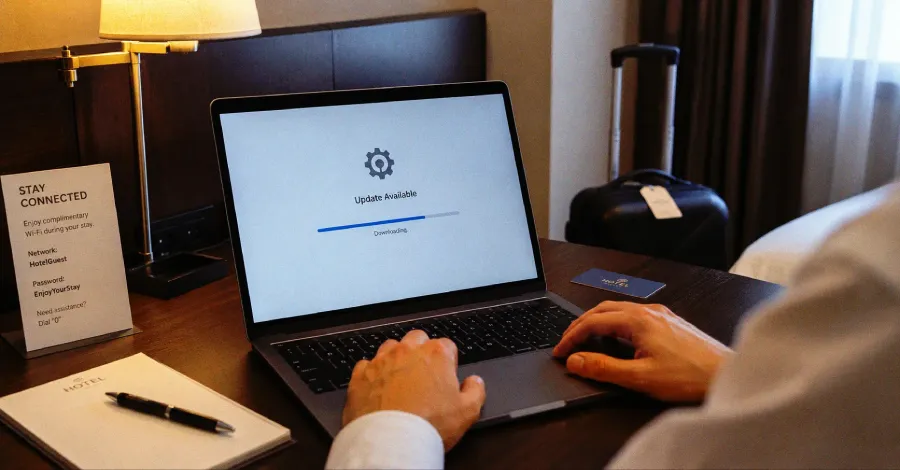
As technology continues to connect us, the convenience of hotel Wi-Fi becomes a double-edged sword. Travelers expect seamless internet access, yet this very convenience opens the door to sophisticated cyber threats. A recent spate of incidents has revealed how cybercriminals exploit hotel Wi-Fi networks to push fake updates and deliver surveillance malware, putting the personal information and security of unwitting guests at risk. The ramifications of such attacks extend beyond immediate digital theft; they ripple through systems, providing attackers the means to escalate their intrusions into far-reaching corporate networks.
Understanding the Mechanics of Hotel Wi-Fi Attacks
Hotel Wi-Fi networks are often set up with minimal security measures. Unlike corporate networks with stringent cybersecurity protocols, hotel networks must prioritize ease of access for guests. Unfortunately, this often results in weak authentication processes and outdated security standards, making them ripe for exploitation. Cybercriminals can infiltrate these networks through a variety of methods, including:
- Man-in-the-Middle (MitM) Attacks: By intercepting communications between a user and the hotel’s network, attackers can gain access to sensitive data.
- Rogue Hotspots: Cybercriminals can set up fake Wi-Fi networks that mimic the hotel’s legitimate network, tricking guests into connecting and exposing their devices.
- Malicious Software Updates: Once connected, attackers can deliver fake updates that install surveillance malware on the user’s device.

The Consequences of Malware Infiltration
Once malware is installed on a device, the consequences can be dire. Surveillance malware can log keystrokes, capture screenshots, and access files, providing attackers with a treasure trove of personal and financial information. For travelers who often access sensitive accounts, such as banking or work-related platforms, the risks escalate significantly. Furthermore, this malware can serve as a launchpad for broader attacks, allowing hackers to leverage compromised devices to infiltrate corporate networks or other connected systems.
Real Stories: The Impact of Identity Exposure
Several high-profile incidents illustrate the dangers posed by compromised hotel Wi-Fi networks. In one instance, a business traveler connected to hotel Wi-Fi only to find that his corporate credentials had been stolen within hours. This breach led to unauthorized access to sensitive company data, resulting in significant financial losses and reputational damage. Another case involved a family on vacation whose personal devices were infected with malware after connecting to an unsecured hotel network, leading to identity theft and financial fraud.
Identifying the Attack Vectors
To effectively combat these threats, it is essential to understand the various attack vectors at play:
- Cross-Domain Privilege Escalation: Attackers can exploit vulnerabilities across different domains, allowing them to sever security protocols and access protected systems.
- Insecure Connections: Many travelers unknowingly connect to unsecured networks, exposing themselves to data interception.
- Phishing Schemes: Cybercriminals often utilize deceptive email and messaging tactics to trick users into downloading malicious software disguised as legitimate updates.

Protecting Yourself While Traveling
Given the risks associated with hotel Wi-Fi networks, travelers must take proactive measures to protect themselves. Here are some strategies to consider:
- Use a VPN: A Virtual Private Network encrypts your internet connection, making it more difficult for attackers to intercept your data.
- Avoid Sensitive Transactions: Refrain from accessing banking or sensitive accounts while connected to hotel Wi-Fi.
- Verify Network Legitimacy: Always check with hotel staff to confirm the correct network name and avoid connecting to suspicious networks.
- Keep Software Updated: Regularly update your devices to ensure they have the latest security patches.

Key Takeaways
- Hotel Wi-Fi networks are frequently targeted by cybercriminals due to their lax security measures.
- Malware can be delivered through fake updates, putting personal data at risk.
- Travelers should use VPNs and avoid sensitive transactions on public networks.
- Awareness of potential attack vectors is crucial for personal and corporate cybersecurity.
Frequently Asked Questions
What should I do if I suspect my device has been infected with malware?
If you suspect that your device has been compromised, disconnect it from the internet immediately. Run a full antivirus scan to identify and remove any malicious software. If the malware has caused significant data loss or theft, consider contacting your bank and local authorities.
Are hotel Wi-Fi networks always unsafe?
While not all hotel Wi-Fi networks are inherently unsafe, they are generally less secure than private networks. It's essential to assess the network's security measures and exercise caution when connecting, especially for sensitive activities.
Can using a mobile hotspot be a safer alternative?
Yes, using a mobile hotspot can offer a more secure alternative to hotel Wi-Fi. Mobile hotspots provide a private connection that is less susceptible to interception, making it a preferred option for accessing sensitive information while traveling.
Comments
Judge Upholds Minnesota Ban on ‘Nudify’ Apps Amid xAI Lawsuit
A U.S. District Judge has ruled against xAI's attempt to block Minnesota's ban on nudification apps. This decision allows the law to proceed while the lawsuit unfolds, raising questions about digital rights and consent.

Related articles





Popular in Cybersecurity
- Federal Mandate for Autonomous Vehicles: A Call for Safety Compliance
- EU Mandates Google to Share Data and Open AI on Android: What It Means
- GitHub Revamps Bug Bounty Program: Implications for Developers and Security
- Australian Government Disables Thousands of Functional Broadband Routers: A Wasteful Decision
- Exploiting Redis: Understanding Zero-Day Vulnerabilities and Their Mitigation