New Chrome Flaw Exposes Gmail Users to Rogue Extensions: What You Need to Know
A recent discovery reveals a vulnerability in Chrome that allows malicious extensions to access Gmail accounts. Here's how to protect yourself and understand the implications.
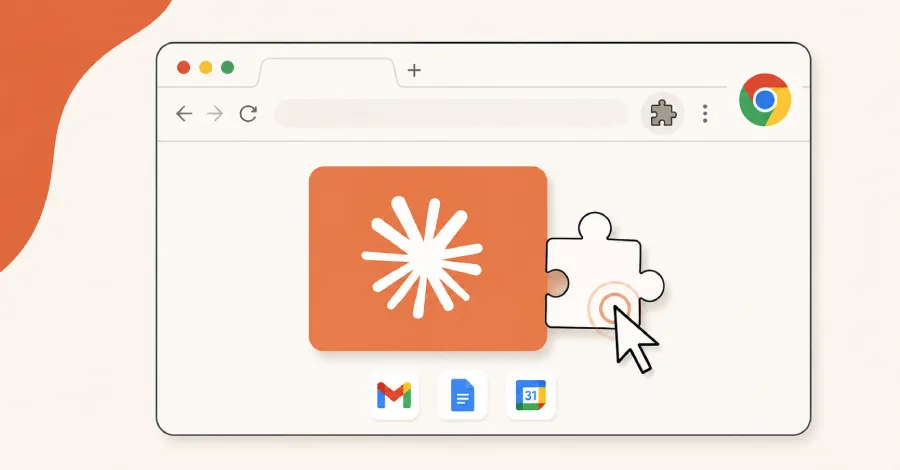
In an age where cyber threats are increasingly sophisticated, the discovery of a critical vulnerability in Google Chrome has sent ripples through the cybersecurity community. This flaw allows malicious browser extensions to gain unauthorized access to Gmail accounts, potentially compromising sensitive information for millions of users. As cybercriminals continue to leverage these weaknesses, understanding the implications and adopting preventive measures becomes paramount for individuals and organizations alike.
Research conducted by cybersecurity experts highlights how rogue extensions can exploit this vulnerability, leading to unauthorized reads of email content. With Gmail being one of the most widely used email platforms globally, the ramifications of such a breach can be severe. In this article, we will delve into the specifics of this vulnerability, its potential impacts, and the necessary steps users can take to safeguard their accounts.
Understanding the Chrome Vulnerability
The vulnerability, identified in the Chrome browser, stems from how it interacts with third-party extensions. Extensions are small software programs that enhance the browsing experience, but they can also pose risks if not carefully vetted or monitored. Cybersecurity researchers have pointed out that malicious extensions can be engineered to bypass security measures, allowing them to read emails in Gmail accounts without user consent.
The Technical Side of the Flaw
This flaw operates through a specific set of permissions granted to browser extensions. Typically, when users install an extension, they are required to agree to a series of permissions which dictate what data the extension can access. However, some extensions may misrepresent their capabilities or take advantage of overly broad permissions to gain access to sensitive data.
For example, once installed, a rogue extension could easily be programmed to send HTTP requests that fetch content from the user's Gmail account. This could lead to serious breaches of privacy, exposing users to identity theft, data leaks, or even financial fraud.

The Implications for Gmail Users
The implications of this vulnerability are far-reaching. With over 1.5 billion users relying on Gmail, the risk of unauthorized access can affect not just individual users but also businesses. For organizations that rely on Gmail for communication, a compromised account can lead to data breaches, loss of sensitive information, and severe reputational damage.
Who Is Affected?
While individual Gmail users are at risk, the threat is particularly pronounced for businesses that utilize Gmail as part of their suite of productivity tools. Employees who inadvertently install malicious extensions could inadvertently expose corporate data, leading to potential regulatory fines and loss of customer trust. Moreover, the interconnected nature of digital communication means that a single breach can have cascading effects across an organization.
Five Steps to Secure Your Gmail Account
Given the potential risks associated with this Chrome vulnerability, it is vital for users to take proactive steps to secure their Gmail accounts. Here are five essential measures:
- Review Your Installed Extensions: Regularly audit the extensions you have installed in your Chrome browser. Remove any that you no longer use or that seem suspicious.
- Limit Permissions: Be cautious of the permissions you grant to extensions. Only allow access to data that is absolutely necessary for the extension's functionality.
- Enable Two-Factor Authentication (2FA): Implementing 2FA on your Gmail account adds an extra layer of security, requiring a second form of identification in addition to your password.
- Stay Updated: Keep your Chrome browser and all extensions updated to the latest versions, as updates often include important security patches.
- Educate Yourself: Stay informed about common phishing tactics and social engineering scams that could trick you into installing malicious extensions.

The Role of AI in Cybersecurity
In response to the rising tide of cyber threats, AI technologies have emerged as valuable allies in the fight against malicious activities. AI can analyze vast amounts of data to identify patterns and detect anomalies that may indicate a security breach. Moreover, machine learning algorithms can continuously adapt to evolving threats, enhancing the ability to preemptively tackle vulnerabilities like the one recently discovered in Chrome.
How AI Models Identify Vulnerabilities
AI models can simulate various attack scenarios to find loopholes within software systems. By employing techniques such as predictive analytics, these models can forecast potential exploits, enabling cybersecurity teams to address weaknesses before they can be exploited by cybercriminals. Organizations that leverage AI in their cybersecurity strategies can significantly reduce their risk profile and respond more effectively to emerging threats.

Key Takeaways
- The recent Chrome vulnerability allows rogue extensions to access Gmail accounts.
- Users should regularly review and manage their installed browser extensions.
- Implementing two-factor authentication can enhance account security.
- AI plays a critical role in identifying and mitigating software vulnerabilities.
- Cybersecurity education is essential for all users to prevent falling victim to attacks.
Frequently Asked Questions
What should I do if I suspect a rogue extension is accessing my Gmail?
If you suspect that a rogue extension is accessing your Gmail account, immediately remove the extension from your browser. Change your Gmail password and enable two-factor authentication to secure your account. Additionally, review your account activity for any unauthorized actions and report any suspicious activity to Google.
How can I identify malicious browser extensions?
Malicious browser extensions often have poor ratings, limited downloads, or vague descriptions. Look for extensions that require extensive permissions that seem unnecessary for the functionality they provide. Always install extensions from reputable sources, such as the official Chrome Web Store, and read user reviews to assess their credibility.
Is it safe to use extensions in Chrome?
While many extensions can enhance your browsing experience, they carry inherent risks. It's important to be discerning when choosing which extensions to install. Always verify the trustworthiness of the developer and understand the permissions required before installation. Regularly review and assess the extensions you have installed to ensure they still meet your security standards.
Comments
Exploiting Vulnerabilities: Understanding SonicWall's SMA 1000 Threats
Recent zero-day vulnerabilities in SonicWall's SMA 1000 series have raised alarms in the cybersecurity landscape. Organizations must act swiftly to secure their systems against these threats.

Related articles





Popular in Cybersecurity
- Federal Mandate for Autonomous Vehicles: A Call for Safety Compliance
- EU Mandates Google to Share Data and Open AI on Android: What It Means
- GitHub Revamps Bug Bounty Program: Implications for Developers and Security
- Australian Government Disables Thousands of Functional Broadband Routers: A Wasteful Decision
- Exploiting Redis: Understanding Zero-Day Vulnerabilities and Their Mitigation