Microsoft Addresses Critical Vulnerability in Defender: What You Need to Know
Microsoft has patched a significant flaw in its Defender security software that could allow attackers to gain SYSTEM privileges. Here's what organizations should do to protect themselves.
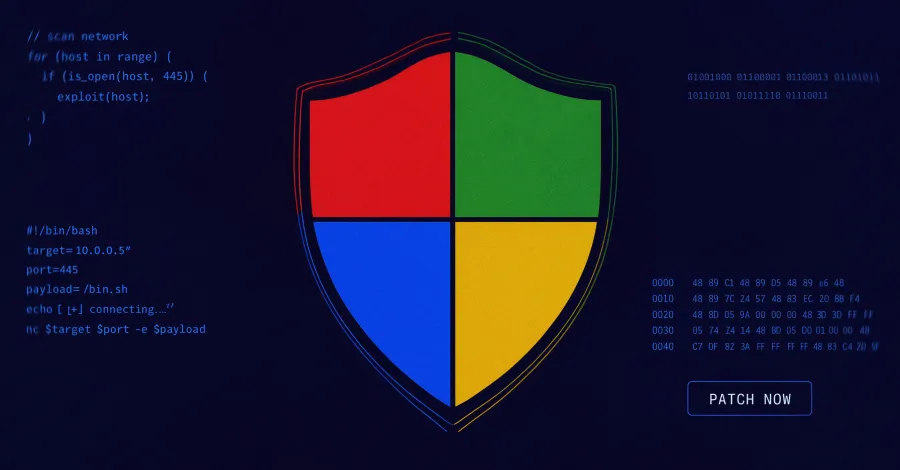
In the ever-evolving landscape of cybersecurity, even the most established and trusted software can harbor vulnerabilities. Recently, Microsoft announced a critical patch for its Defender security software that addressed a severe flaw, dubbed RoguePlanet, which could potentially grant unauthorized users SYSTEM privileges. This vulnerability represents a significant risk, particularly for businesses that rely heavily on Microsoft services for their cybersecurity needs.
The implications of this flaw are profound. With SYSTEM privileges, an attacker could execute malicious code, manipulate system settings, and access sensitive data. For organizations, this could mean the difference between maintaining operational integrity and suffering a debilitating data breach. In this article, we’ll delve into the details of the RoguePlanet vulnerability, the patch released by Microsoft, and essential steps businesses can take to fortify their defenses against similar threats.

Understanding the RoguePlanet Vulnerability
RoguePlanet is a security flaw identified within the Microsoft Defender application, which is widely used for threat detection and prevention across Windows systems. This vulnerability allows an attacker to escalate their privileges to the SYSTEM level, which essentially means they gain the same access as the operating system itself. This could enable them to install malware, manipulate user accounts, or siphon off sensitive information without detection.
How the Exploit Works
Exploiting the RoguePlanet vulnerability typically involves a multi-step process:
- Initial Access: Attackers may use phishing emails or malicious links to gain initial access to a target’s system.
- Privilege Escalation: Once inside, they leverage the RoguePlanet flaw to elevate their access rights from a standard user to SYSTEM level.
- Execution of Malicious Code: With elevated privileges, attackers can execute commands that compromise the system further.
This sequence of exploitation highlights the importance of not only having security measures in place but also ensuring they are updated regularly to protect against known vulnerabilities.

Microsoft's Response: The Patch Rollout
In response to the urgent threat posed by the RoguePlanet vulnerability, Microsoft swiftly developed and released a patch. This patch is now available for all users of Microsoft Defender and should be applied immediately to mitigate potential risks. Organizations are encouraged to enable automatic updates to ensure they do not miss critical patches in the future.
What’s Included in the Patch?
The patch addresses the flaw directly, effectively closing the loophole that allowed for privilege escalation. Additionally, Microsoft has provided recommendations to bolster overall system security:
- Regular System Updates: Ensure that all systems are regularly updated to protect against newly discovered vulnerabilities.
- Review Security Configurations: Audit existing security settings to ensure they align with best practices.
- Advanced Threat Protection: Utilize additional security measures, such as endpoint detection and response (EDR) tools, to provide another layer of defense.

Steps to Secure Against Software Vulnerabilities
With the emergence of vulnerabilities such as RoguePlanet, it becomes increasingly vital for organizations to implement robust security measures. Here are five essential steps organizations can take to protect against software vulnerabilities:
1. Conduct Regular Security Audits
Regularly reviewing and assessing your cybersecurity posture can help identify weaknesses before they can be exploited. Conducting thorough audits helps organizations understand their current vulnerabilities and the effectiveness of their security measures.
2. Implement a Patch Management Strategy
Establishing a systematic approach to applying software patches can significantly reduce the risk of exploitation. This involves not only applying updates but also testing them to ensure compatibility with existing systems.
3. Invest in Cybersecurity Training
Human error remains a leading cause of security incidents. Providing employees with training on recognizing phishing attempts and other common attack vectors can enhance your organization’s overall security posture.
4. Employ Multi-Factor Authentication (MFA)
MFA adds an extra layer of security by requiring users to verify their identity through multiple methods. This can significantly reduce the risk of unauthorized access.
5. Monitor Systems Continuously
Continuous monitoring of systems for unusual activity is crucial for early threat detection. Implementing a Security Information and Event Management (SIEM) system can help in identifying and responding to threats in real-time.
Key Takeaways
- The RoguePlanet vulnerability in Microsoft Defender allowed for SYSTEM-level access by attackers.
- Microsoft has released a critical patch to address this vulnerability, which organizations should apply immediately.
- Implementing a robust patch management strategy is essential to safeguard against similar threats.
- Regular security audits and employee training can help identify and mitigate vulnerabilities.
- Utilizing multi-factor authentication enhances security by adding an extra layer of verification.
Frequently Asked Questions
What should I do if I haven’t applied the patch yet?
If you have not yet applied the patch for the RoguePlanet vulnerability, it is imperative to do so without delay. Check your Microsoft Defender settings to ensure that automatic updates are enabled. If not, manually download and apply the latest update from the Microsoft website. Additionally, consider conducting a thorough security audit to assess the current state of your systems.
How can I tell if my system has been compromised?
Signs of a compromised system can vary but typically include unexpected behavior such as slow performance, unauthorized access attempts, or unexpected software installations. Monitoring your system’s performance and access logs can help identify anomalies. If you suspect a breach, disconnect from the internet immediately and conduct a thorough investigation of your system.
What additional security measures should I consider implementing?
In addition to applying patches and conducting audits, organizations should consider implementing advanced security solutions such as endpoint detection and response (EDR), intrusion detection systems (IDS), and employing managed security service providers (MSSPs) for expert oversight and proactive threat management.
Comments
Block Settles $45 Million Fraud Claims Over Cash App Use
Block, the company behind Cash App, has agreed to a $45 million settlement with 46 states due to allegations of inadequate fraud protection measures. This settlement highlights the growing scrutiny of fintech applications and their responsibility in safeguarding users against fraudulent activities.

Related articles


Popular in Cybersecurity
- Federal Mandate for Autonomous Vehicles: A Call for Safety Compliance
- EU Mandates Google to Share Data and Open AI on Android: What It Means
- GitHub Revamps Bug Bounty Program: Implications for Developers and Security
- Australian Government Disables Thousands of Functional Broadband Routers: A Wasteful Decision
- Exploiting Redis: Understanding Zero-Day Vulnerabilities and Their Mitigation