Solidity Pro VS Code Extensions: A Growing Threat to Crypto Security
The emergence of malicious VS Code extensions targeting Solidity developers poses significant risks to cryptocurrency wallets and sensitive credentials. This article explores real-world incidents and preventative measures to safeguard against these threats.
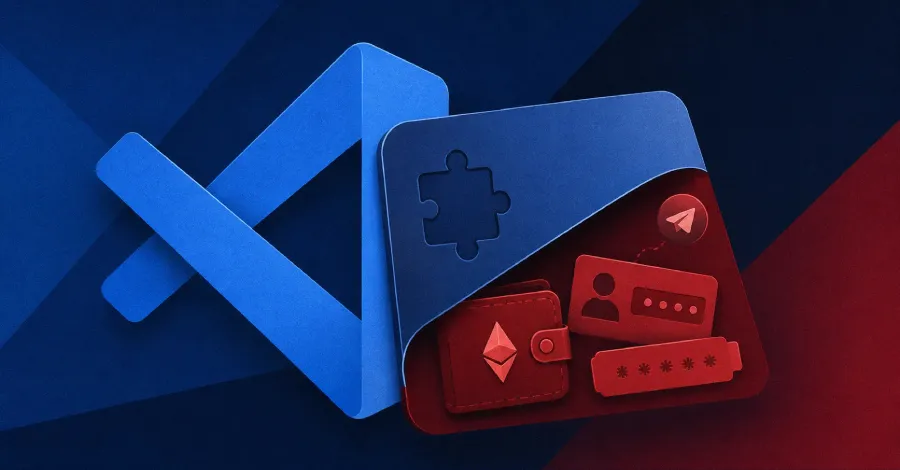
In the ever-evolving landscape of cryptocurrency and blockchain development, security remains a paramount concern. With the rise of decentralized finance (DeFi) and Non-Fungible Tokens (NFTs), developers are increasingly reliant on various tools to streamline their coding processes. However, a recent wave of malicious Visual Studio Code (VS Code) extensions, specifically targeting those working with Solidity—the programming language for Ethereum smart contracts—has raised alarm bells within the community. These extensions not only compromise cryptocurrency wallets but also enable attackers to steal API keys and sensitive credentials. This article delves into the alarming incidents surrounding these malicious extensions, providing insights into the implications for developers and strategies for enhancing security.
The Rise of Malicious VS Code Extensions
VS Code is one of the most popular integrated development environments (IDEs) used by developers across various programming languages, including Solidity. Its extensibility through plugins and extensions allows developers to customize their working environments, enhancing productivity and efficiency. However, this flexibility also introduces vulnerabilities. Malicious actors can develop extensions that masquerade as legitimate tools, enticing developers to install them. Once installed, these extensions can execute harmful actions without the user's knowledge.
How Attackers Exploit Vulnerabilities
Attackers employ various tactics to exploit vulnerabilities associated with these extensions. Here are some common methods:
- Phishing Techniques: Attackers may use phishing emails or social media campaigns to promote their malicious extensions, convincing developers to download them.
- Code Injection: Once an extension is installed, attackers can inject malicious code that silently monitors and captures sensitive information, such as private keys and credentials.
- Permission Misuse: Many extensions require extensive permissions to function properly. Malicious extensions can abuse these permissions to access and exfiltrate sensitive data.

Real-World Incidents: The Cost of Negligence
Numerous developers have fallen victim to these malicious extensions, resulting in significant financial losses and compromised projects. Here are a few notable cases:
Case Study 1: The Theft of Crypto Wallet Assets
A prominent Solidity developer unknowingly installed a malicious VS Code extension that promised to enhance their coding experience. Within days, their crypto wallet was drained of over $100,000 worth of Ethereum and ERC-20 tokens. The attacker had embedded code within the extension that tracked keystrokes, allowing them to capture the developer's private keys.
Case Study 2: API Key Compromise
In another incident, a developer used a malicious extension to streamline their API calls for a decentralized application. The extension captured their API keys, leading to unauthorized access to the application’s backend and a subsequent data breach. The fallout included not only financial loss but also damage to the developer's reputation.
The Legal Landscape: Implications for Developers
The rise of malicious extensions targeting Solidity developers raises serious legal and regulatory implications. As developers are increasingly held accountable for the security of their applications, they must be aware of the potential liabilities associated with third-party tools. In the event of a security breach, developers may face:
- Legal Action: Victims of security breaches may pursue legal action against developers for failing to protect their sensitive data.
- Regulatory Scrutiny: As governments and regulatory bodies focus on cryptocurrency security, developers may face increased scrutiny regarding their security practices.
- Reputation Damage: A breach can severely damage a developer’s reputation, leading to a loss of trust among users and clients.

Protective Measures: Safeguarding Against Malicious Extensions
To mitigate the risks associated with malicious VS Code extensions, developers should adopt a proactive approach to security. Here are several recommended practices:
1. Verify Extension Sources
Always install extensions from reputable sources, such as the official Visual Studio Marketplace. Research the developer and read user reviews to assess the extension’s credibility.
2. Implement Two-Factor Authentication
Enable two-factor authentication (2FA) on all accounts associated with cryptocurrency wallets and APIs. This adds an additional layer of security, making it more difficult for attackers to gain access.
3. Regularly Update Software
Keep your VS Code and installed extensions updated to the latest versions. Developers often release patches to address security vulnerabilities.
4. Conduct Code Audits
Regularly audit your code and any third-party extensions you use. Look for any suspicious behavior or unauthorized access to sensitive data.
Key Takeaways
- Malicious VS Code extensions targeting Solidity developers pose significant security risks.
- Real-world incidents highlight the potential financial and reputational damage of these attacks.
- Developers must adopt proactive security measures to safeguard against malicious extensions.
- Legal implications may arise from security breaches, affecting developers and their reputations.
Frequently Asked Questions
What should I do if I suspect my VS Code extension is malicious?
If you suspect that a VS Code extension is malicious, immediately remove it from your IDE and conduct a thorough security audit of your projects. Change passwords and API keys, and enable two-factor authentication on all accounts. Monitor your accounts for any unauthorized access.
How can I identify trustworthy VS Code extensions?
Identify trustworthy extensions by checking the number of downloads, user ratings, and developer information. Look for extensions that are actively maintained and updated regularly. Engage with community forums to gather feedback from other developers about specific extensions.
Are there specific signs of a compromised crypto wallet?
Yes, signs of a compromised crypto wallet may include unauthorized transactions, unexpected changes to account settings, or difficulty accessing the wallet. If you notice any of these signs, take immediate action to secure your wallet and report the issue to your wallet provider.
Comments
Social Media Giants Face Legal Challenges Over User Addiction Claims
Social media platforms like Meta, TikTok, and Snapchat are confronting thousands of lawsuits alleging they designed addictive environments for minors. With a recent court ruling against them, the implications for the industry could be significant.

Related articles



Popular in Cybersecurity
- Federal Mandate for Autonomous Vehicles: A Call for Safety Compliance
- EU Mandates Google to Share Data and Open AI on Android: What It Means
- GitHub Revamps Bug Bounty Program: Implications for Developers and Security
- Australian Government Disables Thousands of Functional Broadband Routers: A Wasteful Decision
- Exploiting Redis: Understanding Zero-Day Vulnerabilities and Their Mitigation